Identify the exact words
Decide whether the text should be blurred, removed, or replaced before you write the instruction.
A focused text edit
Blur text in image files or describe a cleaner replacement when you need a readable, permitted visual edited with a small mask.
Use the workspace below on this page. Keep the original file and review every AI result before sharing it.
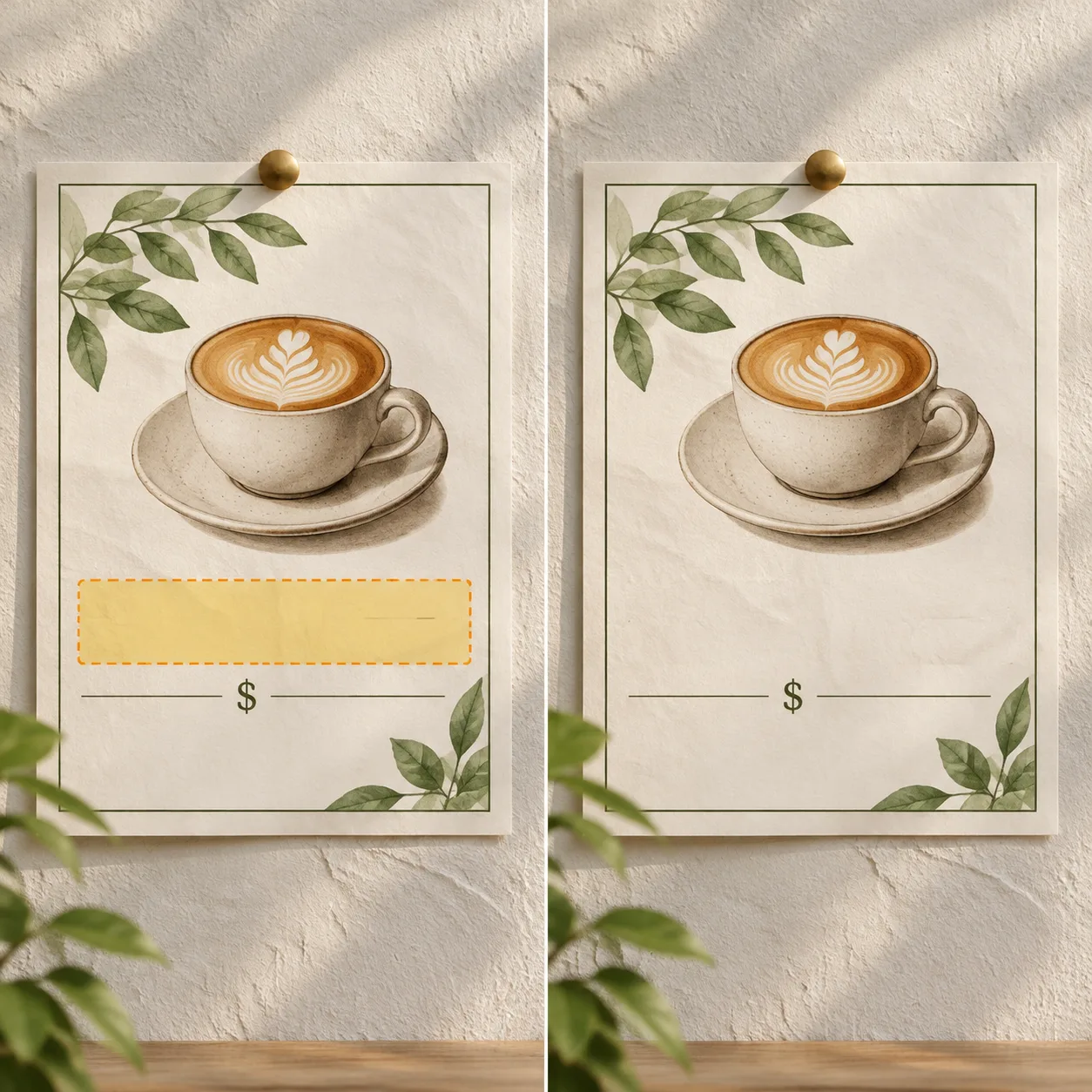
Blur or rebuild a text area
Describe a blur, clean background, or permitted replacement after you mark the lettering.
AI text remover
Use a direct JPG, PNG, or WebP image link.
Choose an image to start.
Base rate: 150 credits per edit · 1k · 1:1 · View Pricing
Sign in to generateOnly edit images you own or are licensed to change. Do not use this editor for identity documents, financial records, receipts, signatures, seals, or deceptive evidence.
Focused visual edit
Use the mask to isolate the text that needs to change. The editor can rebuild the area instead of forcing you to cover the whole image with a solid block.
Use this workflow for screenshots, mockups, product visuals, and other images where a small text area needs attention. Mark only the letters that should change so the rest of the image stays in context.
Blur and mask method
Decide whether the text should be blurred, removed, or replaced before you write the instruction.
Include the full lettering and a small margin so no fragments remain at the border.
Check gradients, paper grain, shadows, and repeated patterns around the edited area.
Where it fits
Mask a permitted label, notification, or timestamp before sharing a revised capture.
Clean a small text block while preserving the poster’s material and composition.
Prepare a visual variation when the original design file is not available.
Use it responsibly
Only edit content you own or are permitted to change. This tool is for creative cleanup, mockups, and permitted production work.
Blur text questions
Treat the output as an image edit, not a guaranteed redaction. Do not use it for sensitive records or confidential evidence.
Describe the result you need. A blur may be appropriate for a visual mockup; removal asks the model to reconstruct the background.
A loose or incomplete mask can leave fragments, halos, or mismatched texture around the text.
Only edit screenshots you own or are authorized to change, and keep the unedited original.
No. It is an image editing workflow, not a guarantee that sensitive information is irreversibly removed.
You can describe pixelation or blur in the instruction, then inspect the result to ensure the text is not still readable.
Use a purpose-built redaction workflow that removes underlying data, not an AI image edit.
Only edit a screenshot you own or are authorized to change, and keep the original separately.
The surrounding background guides reconstruction and helps avoid a visible patch around the marked text.
Large paragraphs are harder to rebuild cleanly. Smaller, localized areas are easier to review.
No. The configured model price and the submitted task quote determine credit usage.
Continue with the workspace